

Cascade supports arena mode to allow you to easily compare responses from different models on the same prompt.Documentation Index
Fetch the complete documentation index at: https://docs.windsurf.com/llms.txt
Use this file to discover all available pages before exploring further.
| Mode | Use Case |
|---|---|
| Single | Run Cascade with a single chosen model |
| Arena | Compare responses from different models |
Arena Mode
To enter arena mode, click the arena button in the model picker and choose your preferred models. When you select multiple models, Cascade will independently execute your prompt with each model in a separate session. Each model also gets its own worktree for isolation. You can independently continue working in each Cascade conversation, including accepting or rejecting changes or asking follow-up questions. Since each model has its own worktree, you can iterate on each response without affecting the others sessions.Choosing the better response
When you’re ready to commit to a particular approach, you should click the “X is better” button to discard other conversations and converge all models to continue with your chosen approach. The next message you send after converging will be sent to all models you have selected, allowing you to continue trying out different approaches.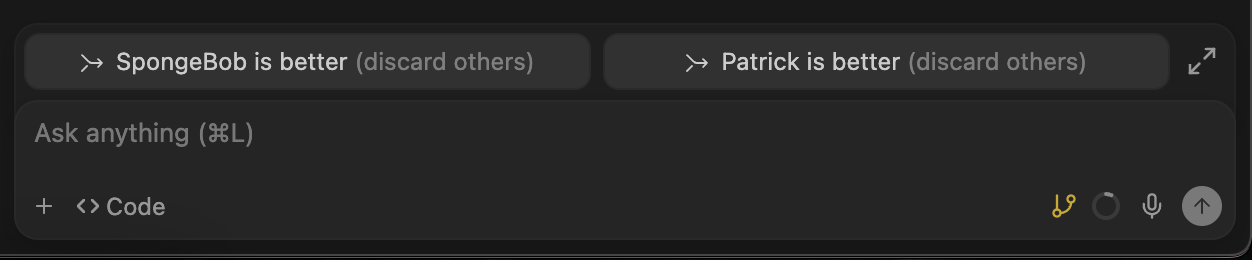
Battle Groups
Instead of manually selecting models, you can select one of our curated model groups to have Cascade randomly choose two models to compare. We have three random model groups available:- Frontier: Includes frontier reasoning models like GPT 5.2, Claude Opus/Sonnet 4.5, Gemini 3 Pro, etc., optimized for intelligence.
- Fast: Includes fast reasoning models like SWE 1.5, Claude Haiku, GPT-5.3-Codex-Spark, etc., optimized for speed.
- Hybrid: A mix of frontier and fast models for a balance of speed and intelligence.
Credit Cost
Arena mode charges the same credit cost for each individual model as running it separately. This means that if you select one 6x model and one 4x model, you will be charged 10 credits for each request. For battle groups, the credit cost displayed is the cost of each individual model in the group. Since each battle group runs two models, the total credit cost per request is double the displayed cost.When To Use Arena Mode
Arena mode is particularly useful when you want to:- Compare code quality across different models
- Explore different approaches to a hard problem
- Test out a new model without abandoning your standard preference
- Access frontier models at reduced cost by using the battle groups
Limitations
- Arena mode is only supported for workspaces that have git initialized
- By default, only Git-tracked files are copied into the worktrees created for each model; you can configure a setup hook to copy additional files as needed
Related Features
Worktrees
Isolate parallel work in separate git worktrees.
Hooks
Automate actions before and after Cascade operations.