> ## Documentation Index
> Fetch the complete documentation index at: https://docs.windsurf.com/llms.txt
> Use this file to discover all available pages before exploring further.

# Analytics

> 查看你在 Windsurf 中的个人和团队 Analytics 数据、使用模式和各类指标，包括代码补全统计以及由 AI 编写代码的百分比。

<div id="individuals">
  ## 个人用户
</div>

<Card title="用户 Analytics" horizontal={true} icon="user" href="https://windsurf.com/profile">
  用户 Analytics 可在你的[个人资料](https://windsurf.com/profile)页面查看与分享。
</Card>

查看你的补全统计，了解你的语言使用占比，并在日常工作流程中使用 Windsurf 来解锁成就徽章。

<div id="teams">
  ## Teams
</div>

<Card title="Team Analytics" horizontal={true} icon="users" href="https://windsurf.com/team/analytics">
  Windsurf 通过单一仪表盘让你的团队管理更轻松。
</Card>

<Note>
  你需要拥有团队管理员权限才能查看以下团队链接。
</Note>

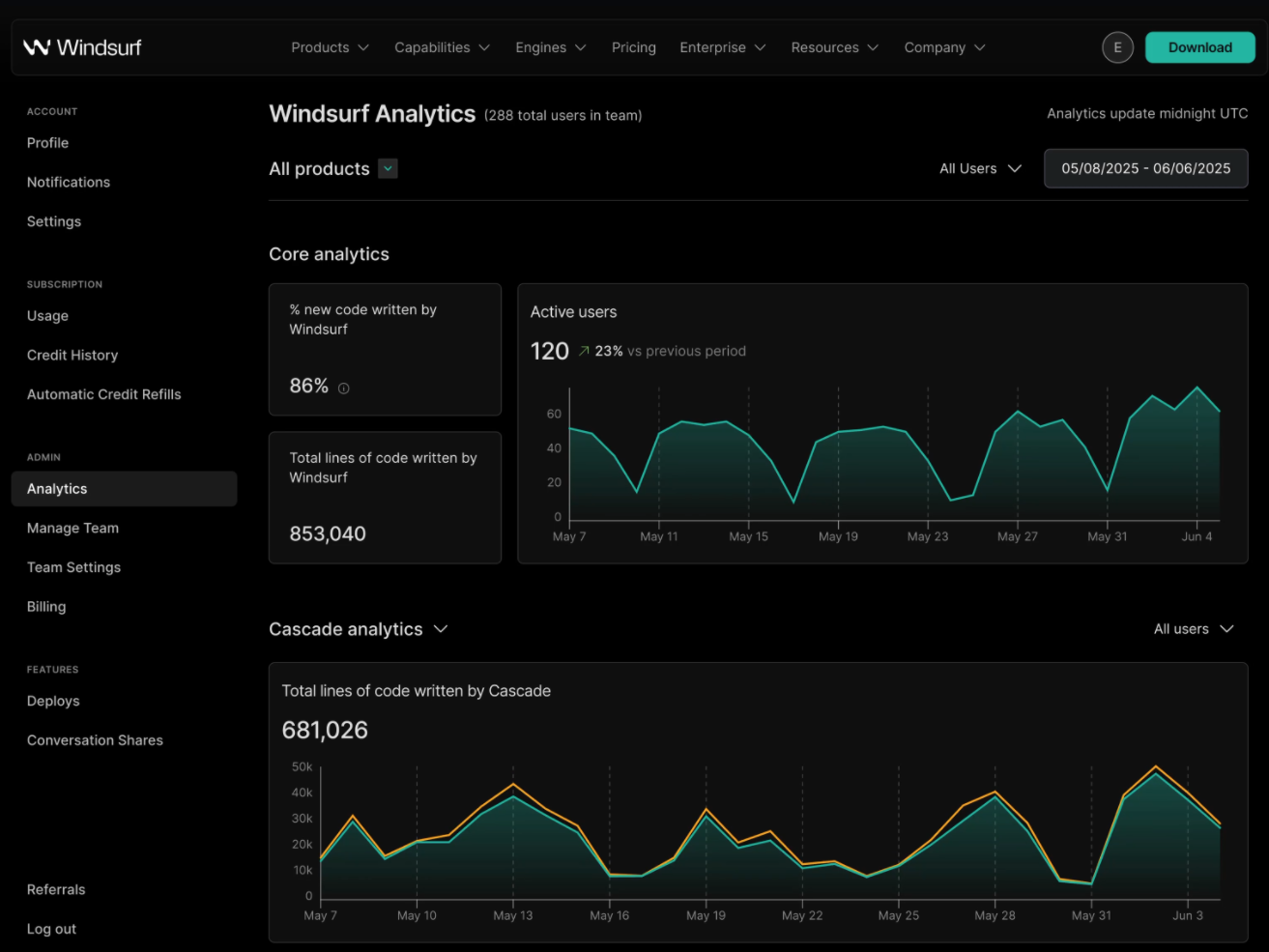
团队负责人和管理者还可以查看团队成员的使用模式与 Analytics 汇总数据，包括由 AI 编写的代码占比（PCW）、代码总行数、工具调用总次数、额度消耗等。

<Frame>
  <img src="https://mintcdn.com/codeium/vRt4FQOyBeZpD2Pu/assets/teams/team-analytics-pcw.jpg?fit=max&auto=format&n=vRt4FQOyBeZpD2Pu&q=85&s=55fc677bc12bf29fade2bd8152eb4712" width="1313" height="985" data-path="assets/teams/team-analytics-pcw.jpg" />
</Frame>