> ## Documentation Index
> Fetch the complete documentation index at: https://docs.windsurf.com/llms.txt
> Use this file to discover all available pages before exploring further.
# 收集 Windsurf 日志
> 如何使用命令面板或 Cascade 面板从 Windsurf Editor 下载诊断日志,用于故障排查和支持。
如果你遇到问题,故障排查的第一步是从 IDE 获取日志。以下是在主流 IDE 中获取 Windsurf 日志的方法:
## Windsurf
1. 打开命令面板(`Ctrl/Cmd + Shift + P`,或依次选择 View > Command Palette)
2. 输入“Download Windsurf Logs”,并选择“Download Windsurf Logs File”选项
3. 导出或复制日志,并将文件附加到你的工单中。
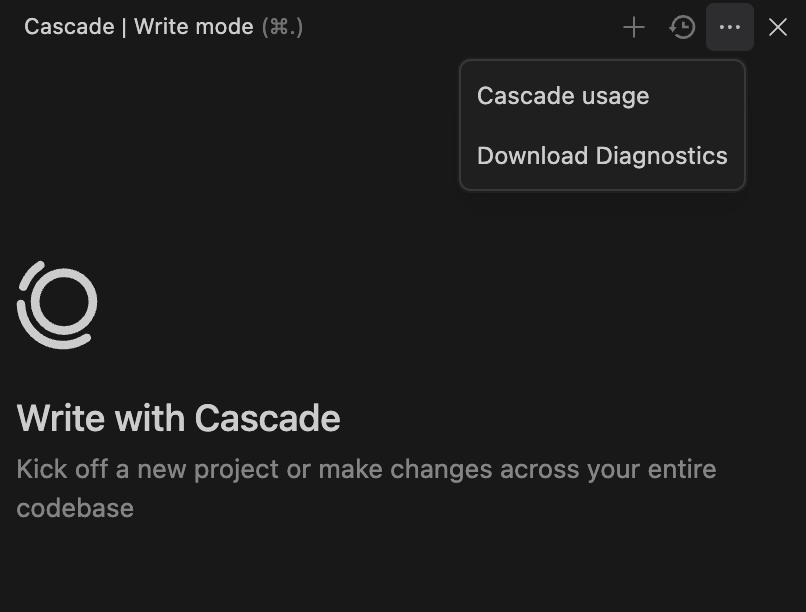
或者,你也可以点击 Cascade 面板右上角的三点按钮,选择“Download Diagnostics”。