> ## Documentation Index
> Fetch the complete documentation index at: https://docs.windsurf.com/llms.txt
> Use this file to discover all available pages before exploring further.
# Code Lenses(代码透镜)
> 使用 Windsurf 代码透镜,可在编辑器中直接对函数和类快速执行 Explain、Refactor 和 Docstring 操作。
## 解释、重构与添加文档字符串
在文本编辑器顶部,Windsurf 会在函数和类上方显示代码镜头(code lens)。
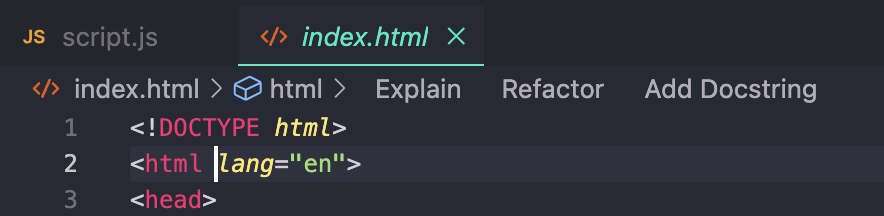 `Explain` 代码镜头会调用 Cascade,简要说明该函数或类的作用及其工作方式。
`Refactor` 和 `Docstring` 代码镜头会调用 Command。
* 点击 `Refactor` 后,Windsurf 会通过下拉列表提供可选的预设指令供你选择,也可以自行编写。这等同于选中该函数并调用 Command。
* 点击 `Docstring` 后,Windsurf 会在函数定义上方为你生成文档字符串。
(在 Python 中,文档字符串会正确地生成在函数定义的下方。)
`Explain` 代码镜头会调用 Cascade,简要说明该函数或类的作用及其工作方式。
`Refactor` 和 `Docstring` 代码镜头会调用 Command。
* 点击 `Refactor` 后,Windsurf 会通过下拉列表提供可选的预设指令供你选择,也可以自行编写。这等同于选中该函数并调用 Command。
* 点击 `Docstring` 后,Windsurf 会在函数定义上方为你生成文档字符串。
(在 Python 中,文档字符串会正确地生成在函数定义的下方。)