> ## Documentation Index
> Fetch the complete documentation index at: https://docs.windsurf.com/llms.txt
> Use this file to discover all available pages before exploring further.
# Autocomplete 技巧
> 充分利用 Windsurf Autocomplete 的技巧,包括内联注释、Fill In The Middle (FIM),以及暂时停用功能。
你可以通过在代码中添加注释来引导 Autocomplete。
Windsurf 会读取这些注释,并基于此建议相应代码,让注释中的意图落地。
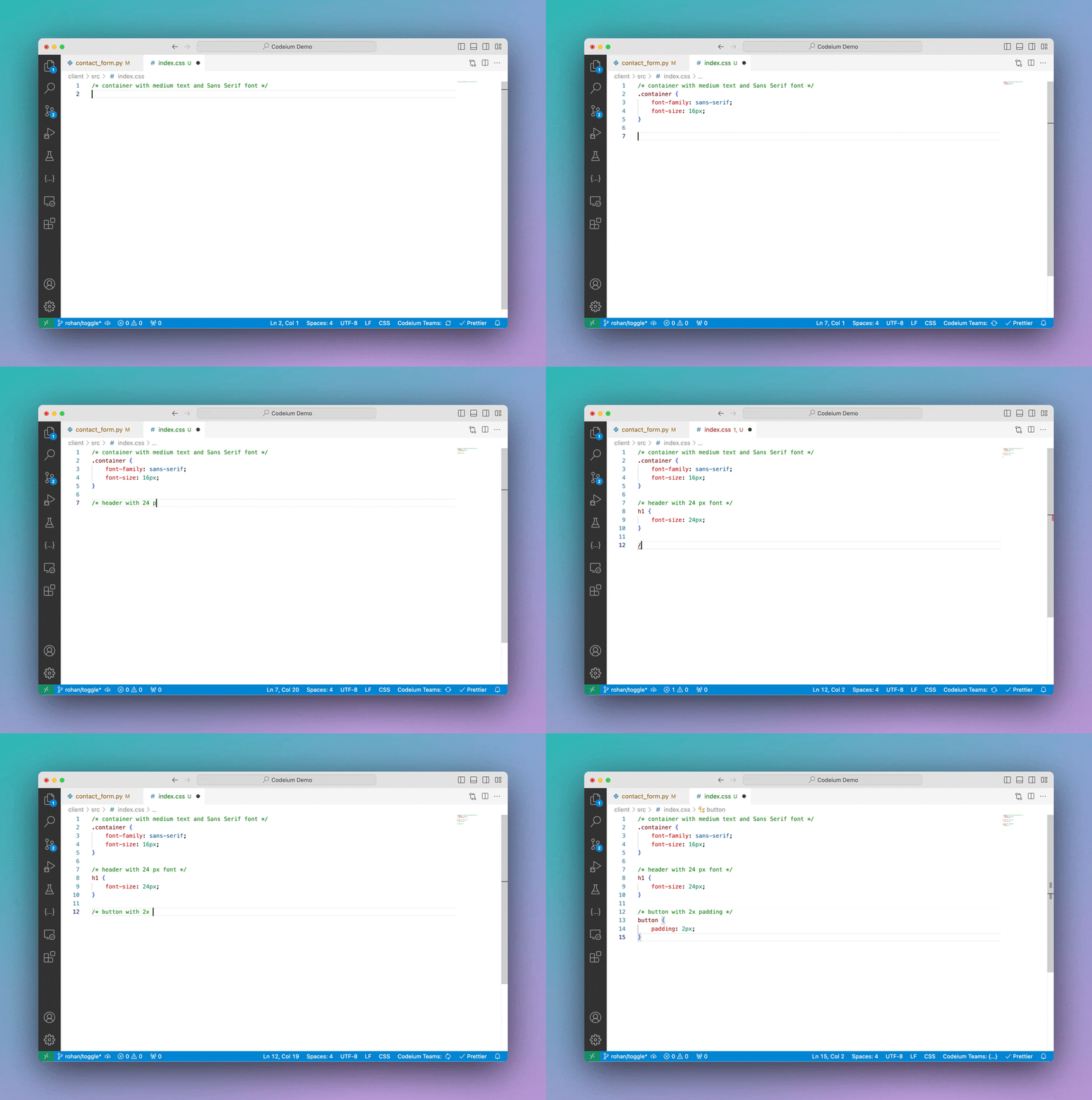 这种方式通常效果不错,但如果你更倾向于用自然语言编写指令并让 AI 执行,
不妨尝试使用 [Windsurf Command](/zh/command/plugins-overview)。
这种方式通常效果不错,但如果你更倾向于用自然语言编写指令并让 AI 执行,
不妨尝试使用 [Windsurf Command](/zh/command/plugins-overview)。
## 中间填充(FIM)
Windsurf 的 Autocomplete 支持中间填充(FIM)。
在我们的博客了解更多关于内联 FIM 的介绍:[查看详情](https://windsurf.com/blog/inline-fim-code-suggestions)。
## 暂停
点击编辑器右下角状态栏中的 Windsurf 小部件,即可选择关闭 Autocomplete,可暂时关闭,或保持关闭直到你重新启用。