> ## Documentation Index
> Fetch the complete documentation index at: https://docs.windsurf.com/llms.txt
> Use this file to discover all available pages before exploring further.
# Analytics
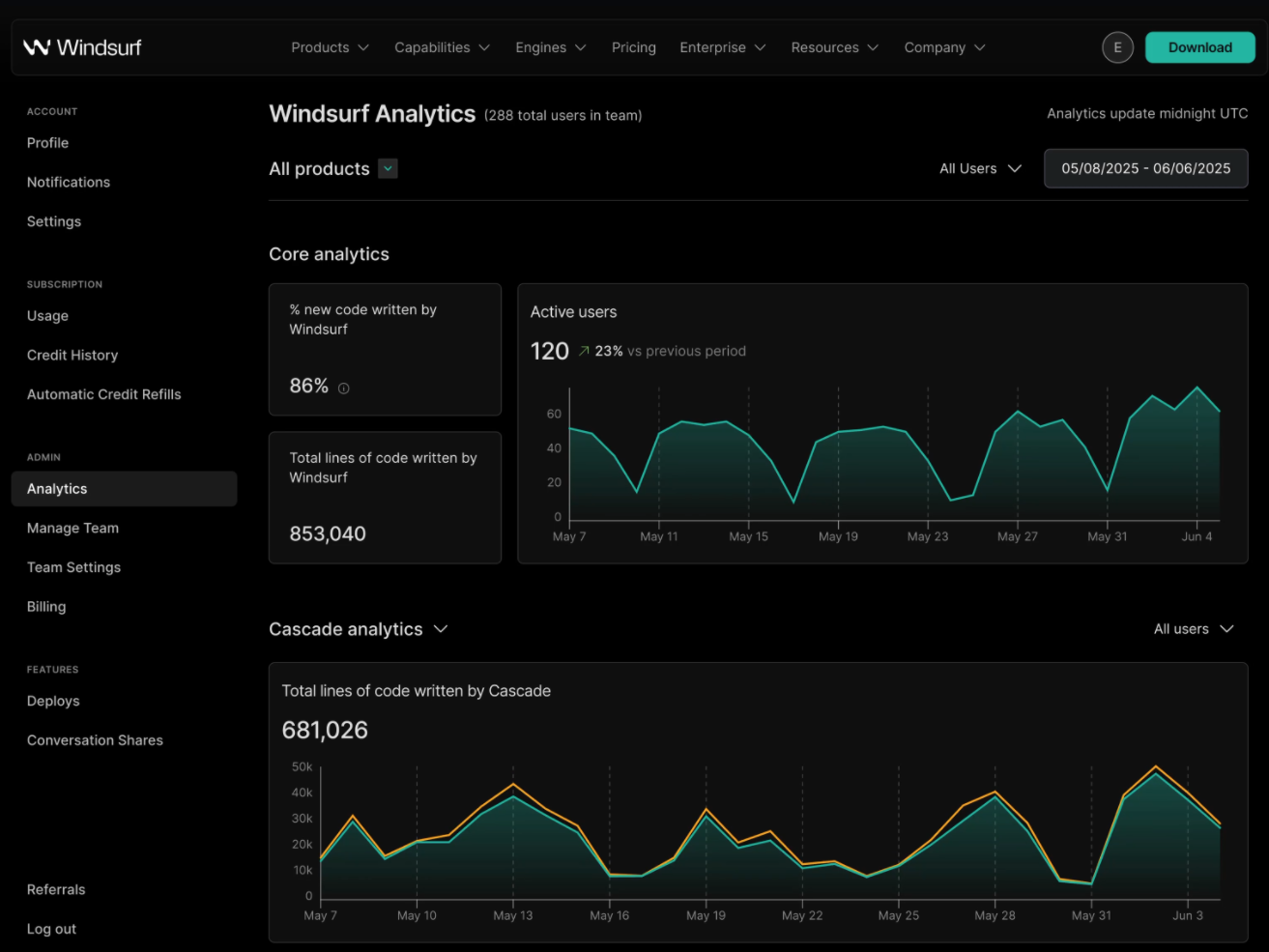
> 個々のユーザーやチームのAnalytics、利用パターンや各種メトリクスを確認し、コード補完の統計やAI生成コードの割合など、Windsurfの利用状況を可視化できます。
## 個人向け
ユーザー向けのAnalyticsは、ご自身の[プロフィール](https://windsurf.com/profile)ページで閲覧・共有できます。
補完の統計を確認し、使用言語の内訳を把握し、日々のワークフローでWindsurfを使って実績バッジを獲得しましょう。
## Teams
Windsurf なら、単一のダッシュボードでチーム管理をスムーズに行えます。
以下のチーム関連リンクを閲覧するには、チーム管理者権限が必要です。
チームリードやマネージャーは、メンバーの利用状況の集計や Analytics を確認できます。AI によるコード執筆率(Percent of Code Written: PCW)、作成されたコード行数の合計、ツール呼び出しの総数、クレジット消費量などを把握できます。