> ## Documentation Index
> Fetch the complete documentation index at: https://docs.windsurf.com/llms.txt
> Use this file to discover all available pages before exploring further.
# Command
> 自然言語でインラインのコード生成と編集を行える Windsurf Command (Cmd/Ctrl+I)。プレミアムクレジットは不要です。
**Command** は、エディタウィンドウ内で自然言語の入力により新規コードの生成や既存コードの編集を行います。
Command はプレミアムの AI モデルクレジットを消費しません。
Command を呼び出すには、Mac では `⌘+I`、Windows/Linux では `Ctrl+I` を押します。
自然言語でプロンプトを入力し、送信ボタン(または `⌘+⏎`/`Ctrl+⏎`)で指示を AI に送信できます。
Command を起動する前にコードの一部をハイライトすると、AI はハイライトされた行にわたる選択範囲を編集します。
それ以外の場合は、カーソル位置にコードを生成します。
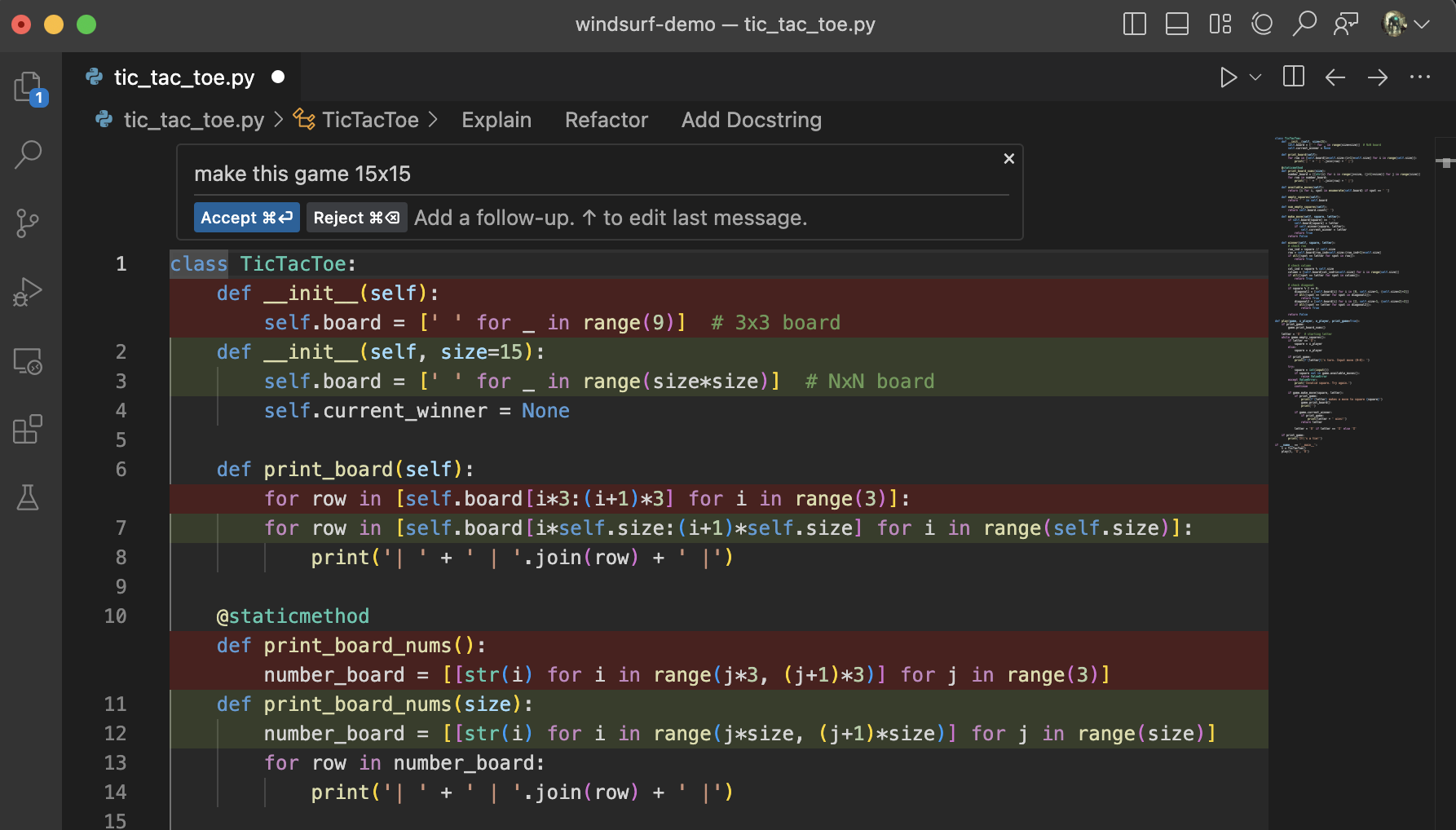 生成結果については、生成された差分の上にある対応するコードレンズをクリックするか、適切なショートカット(`Cmd/Ctrl+Enter`/`Cmd/Ctrl+Delete`)を使用して、受け入れ、却下、またはフォローアップを実行できます。
# AI モデル
Command には、現在のファイルの編集に最適化された専用の AI モデルが用意されています。
Windsurf Fast は、現時点で利用可能な中で最速かつ最も高精度な AI モデルです。
# ターミナルでの Command
ターミナル(`Cmd/Ctrl+I`)で Command を使うと、自然言語のプロンプトから適切な CLI 構文を生成できます。

# ベストプラクティス
Command は、自然言語で指示できるファイル単位のインライン変更に最適です。
以下のポイントに留意してください:
* Command を支える AI モデルは、Autocomplete を支えるものよりも大規模です。
そのため動作はやや遅いものの高機能で、特に指示追従に優れています。
* Command を実行する前にコードのブロックをハイライトすると、その選択範囲を編集します。ハイライトしない場合はゼロから生成します。
* Command を効果的に使うにはコツがあります。"Fix this" や "Refactor" のようなシンプルなプロンプトでも、
Windsurf のコンテキスト認識により高い確率で機能します。
一方で、「`Diffable` 型の入力を2つ取り、Myers の差分アルゴリズムを実装する関数を書いて」のように、
明確な目的と関連コンテキストへの参照を含む具体的なプロンプトは、AI モデルの助けになります。