> ## Documentation Index
> Fetch the complete documentation index at: https://docs.windsurf.com/llms.txt
> Use this file to discover all available pages before exploring further.
# Autocomplete のヒント
> インラインコメントや Fill In The Middle (FIM)、スヌーズ機能などを活用して Windsurf Autocomplete を最大限に使いこなすためのヒント。
コード内のコメントで Autocomplete に指示できます。
Windsurf はこれらのコメントを読み取り、意図を実現するコードを提案します。
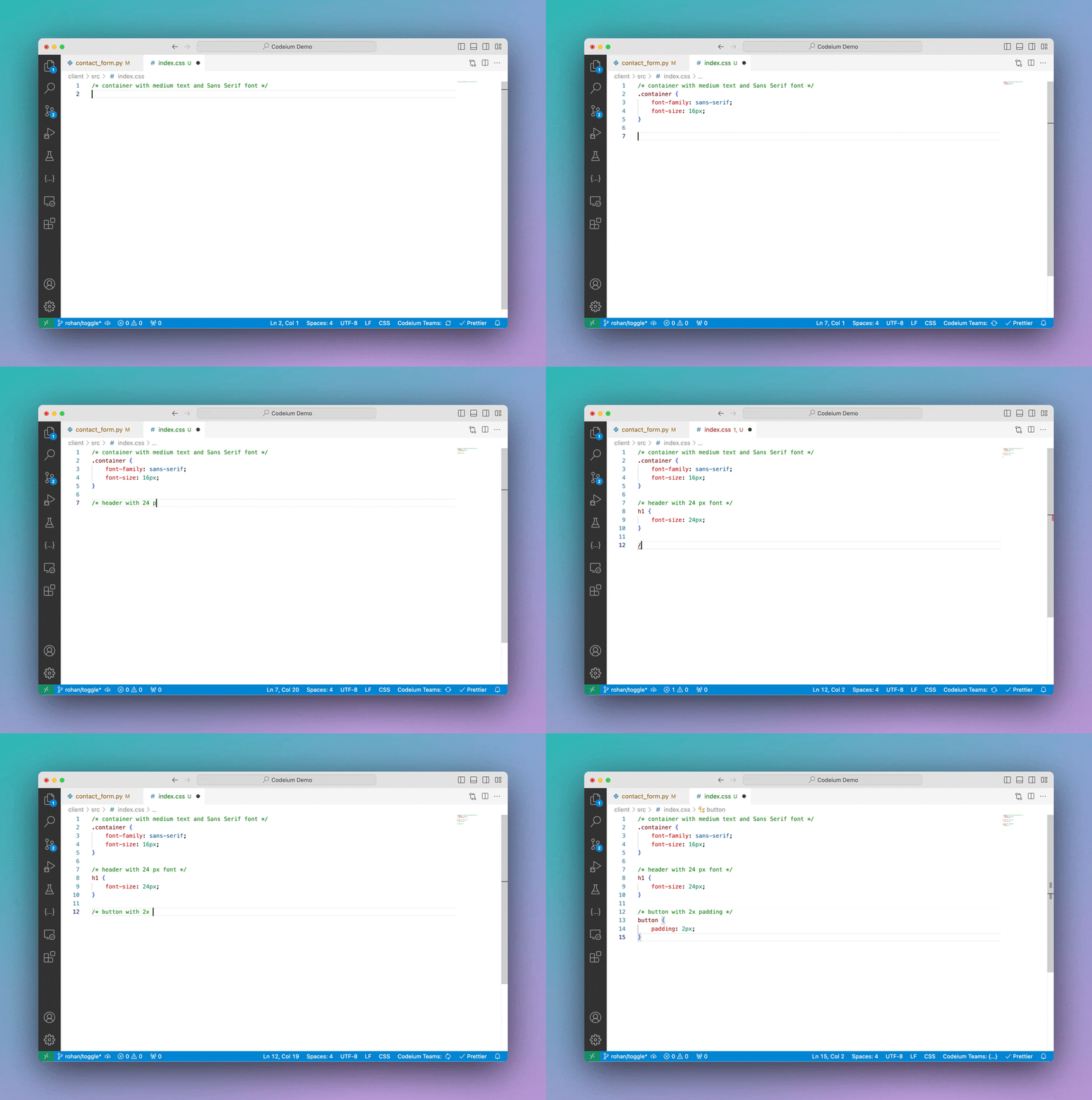 この方法でも十分に有効ですが、自然言語で指示を書いて AI に実行させたい場合は、
[Windsurf Command](/ja/command/plugins-overview) の利用を検討してください。
この方法でも十分に有効ですが、自然言語で指示を書いて AI に実行させたい場合は、
[Windsurf Command](/ja/command/plugins-overview) の利用を検討してください。
## Fill In The Middle(FIM)
Windsurf の Autocomplete は Fill In The Middle(FIM)に対応しています。
インライン FIM の詳細は、当社のブログの[こちら](https://windsurf.com/blog/inline-fim-code-suggestions)をご覧ください。
## スヌーズ
エディタ右下のステータスバーにある Windsurf ウィジェットをクリックすると、Autocomplete をオフにするオプションが表示されます。一時的に無効化することも、再度有効にするまでオフのままにしておくこともできます。